
In this complete 2026 guide, the AutomationHub team walks you through everything: how to build your first funnel from scratch, how to use the landing page builder to its full potential, which elements actually convert, how to connect everything to your GHL automations, and how to run A/B tests that improve your numbers over time.
Whether you are an agency building funnels for clients or a business owner trying to generate more leads on autopilot, this guide covers it all.
1. What Are GoHighLevel Funnels and Landing Pages?
A funnel in GoHighLevel is a series of web pages designed to guide a visitor through a specific journey - from first seeing your offer to taking a desired action like booking a call, submitting their information, or making a purchase. Unlike a traditional website where visitors can go anywhere, a funnel keeps them focused on one path.
A landing page in GHL is a single-step version of that same concept: one page, one goal, one call to action.
- Everything is connected natively. When a lead submits a form on your funnel, they go directly into your GHL CRM, get tagged automatically, and can be dropped into a workflow - all without any third-party integrations or Zapier workarounds.
- You own the pages. No monthly per-funnel fees. Build as many funnels as you need on your GHL plan.
- Payments are built in. GHL supports Stripe and PayPal directly on funnel pages.
- Mobile optimization is automatic. Every page you build in GHL is responsive out of the box.
2. Funnel vs. Website: Which One Do You Actually Need?
Use a funnel when:
- You want to drive paid traffic to a single offer
- You are running a specific campaign with one call to action
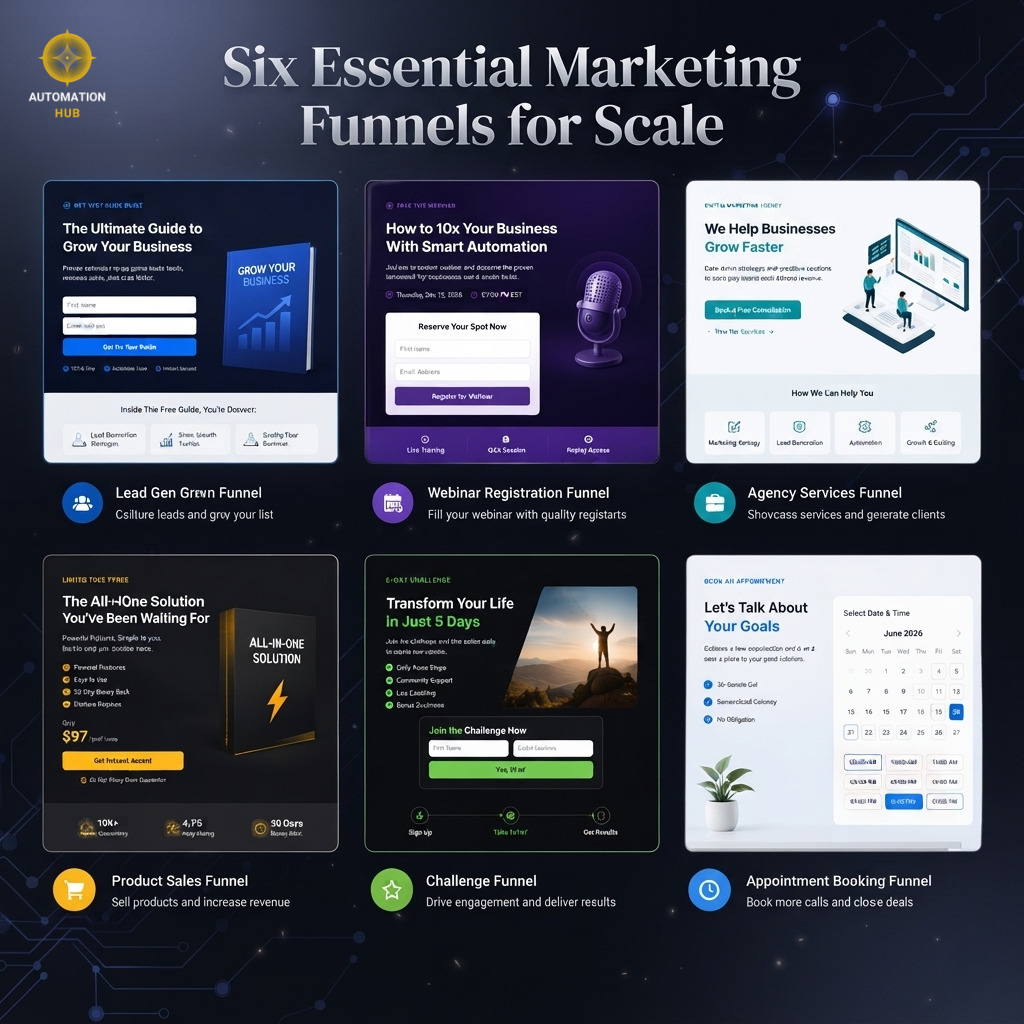
- You are capturing leads for a service, product, webinar, or challenge
- Conversion rate is your primary metric
Use a website when:
- You need to showcase multiple services or products
- SEO is a major part of your traffic strategy
- You need a contact page, about page, blog, and multiple navigation options
For most agencies using AutomationHub's approach, we recommend building campaign-specific funnels first - especially for lead generation and paid ads.
3. How to Set Up Your First GHL Funnel Step by Step
Step 1: Navigate to Sites and Create a New Funnel
From your GHL dashboard, click Sites in the left navigation. Then select Funnels and click New Funnel in the top right corner.
Step 2: Choose Your Starting Point
GHL will ask whether you want to start from a blank funnel or use a template. For your first funnel, using a template is a smart way to understand the structure.
Step 3: Add Your Funnel Steps
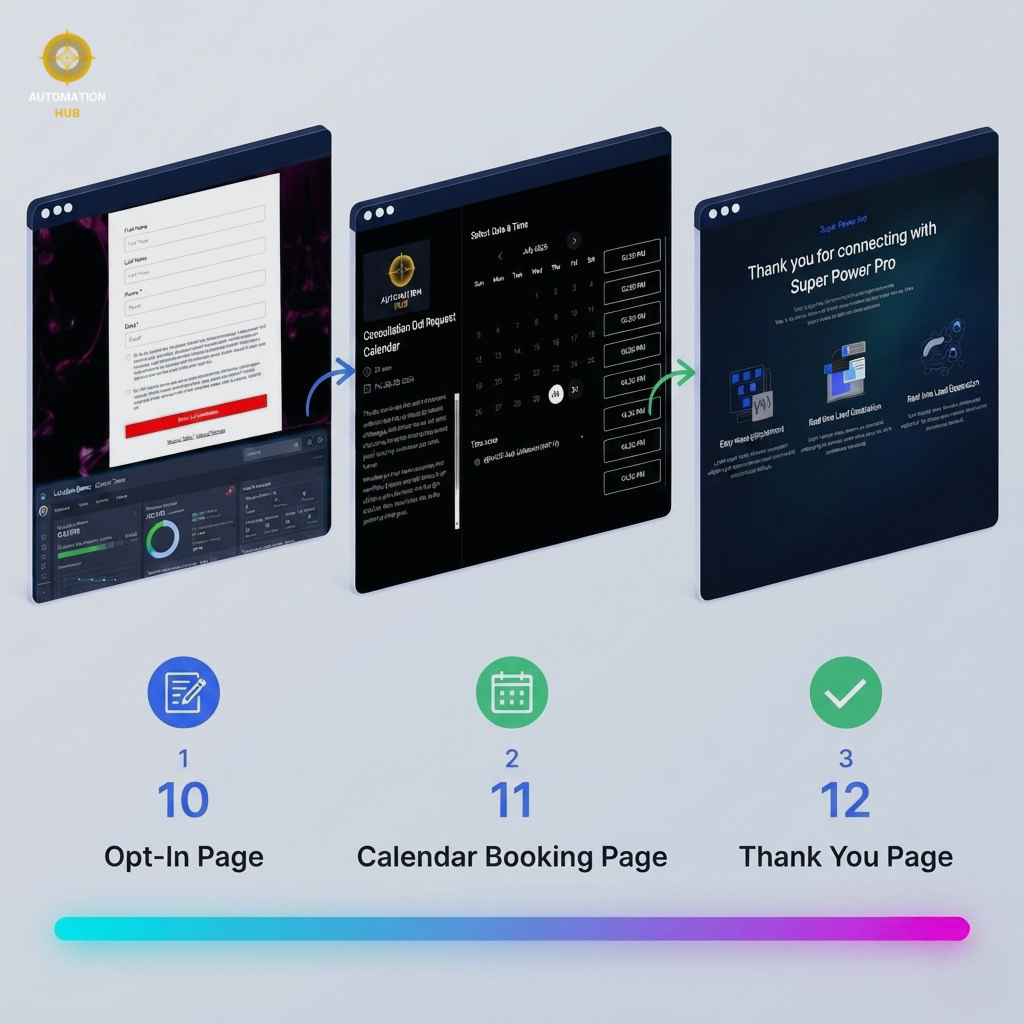
- Step 1: Opt-in or landing page (capture the lead)
- Step 2: Thank you page or confirmation (confirm the action and set next steps)
Step 4: Build Each Page
Click the pencil icon next to any step to open the page builder. This is where you design the actual page - drag and drop elements, edit copy, set form fields, and configure your call to action.
Step 5: Set Up Your Domain
Before you publish, assign a domain to your funnel. Custom domains always look more professional and perform better for paid traffic.
Step 6: Connect to a Workflow
This is the step most people miss. Set it to trigger a GHL workflow when the form is submitted. Without this step, your funnel captures leads but does nothing with them automatically.
Step 7: Test Everything Before Going Live
Submit a test entry through your own funnel. Check that the contact appears in your CRM, the right tags are applied, and the workflow fires correctly.
4. Inside the GHL Landing Page Builder: Everything You Can Do
Core Elements
- Text: Full formatting control for headlines, subheadlines, and body copy.
- Image: Upload directly or paste a URL. Set alt text for SEO.
- Video: Embed YouTube, Vimeo, or self-hosted video directly on any page.
- Button: Fully customizable CTAs with color, border radius, font, and link destination.
- Forms: Drag-and-drop form builder with custom fields, conditional logic, and CRM mapping.
- Survey: Multi-step survey forms for segmenting leads before they opt in.
- Calendar: Embed your GHL calendar directly on a funnel page for direct booking without a redirect.
- Countdown Timer: Deadline-based scarcity timers.
- Custom Code: Inject HTML, CSS, or JavaScript for advanced customization.
Global Styles
Set your brand colors, fonts, and button styles once at the funnel level and they apply across every page automatically.
Mobile View
Toggle between desktop and mobile view inside the builder at any time. You can hide specific elements on mobile and adjust font sizes independently.
5. High-Converting Elements Every GHL Funnel Needs
A Clear, Specific Headline
"Get More Leads" is weak. "Get 3-5 New Clients Per Month Without Cold Calling Using Our Proven GHL System" is strong. Be specific about the result, the audience, and the method.
A Single, Obvious Call to Action
One page, one goal, one button. Pick one goal per page and design everything around it.
Social Proof Above the Fold
Include a testimonial, review count, or trust signal before visitors need to scroll. This establishes credibility immediately.
A Short, Frictionless Form
For lead generation, name and email is almost always enough. Asking for phone number, company size, and revenue on the initial form is a conversion killer.
A Strong Thank You Page
Use it to confirm the action, set expectations for what happens next, deliver the next step, and potentially offer an upsell or additional resource.
6. GoHighLevel Funnel Templates: How to Use and Customize Them
Choosing the Right Template
Filter templates by industry and goal. Pick it based on its structure, not how it looks in the preview.
Replace All Placeholder Content First
Before you change any design elements, replace all placeholder text and images with your actual content on every step of the funnel.
Update Brand Colors and Fonts
Use the global styles setting to apply your brand colors and fonts across the entire funnel at once.
Remove Sections You Do Not Need
Every extra section is one more thing that can distract, confuse, or slow down the decision.
7. Connecting Your Funnel to GHL Automations and CRM
When a lead submits a form on your GHL funnel, the platform can automatically:
- Create a new contact in your CRM with all submitted information
- Apply specific tags based on which funnel or offer they came from
- Add them to a pipeline at a specific stage
- Trigger a workflow that sends an immediate confirmation email or SMS
- Start a multi-step nurture sequence over days or weeks
- Notify your sales team via email or SMS with the lead details
- Book an appointment directly if they chose a time on your calendar page
Setting Up the Form Trigger
Create a new workflow and set the trigger to Form Submitted. Then select the specific form from your funnel and add your automation actions.
Using Tags to Segment Leads
Tag leads with the campaign name, lead source, offer type, and interest level to filter your contact list and trigger targeted automations.
Connecting to Pipelines
Set up a workflow action to Create or Update Opportunity so every funnel lead enters your pipeline automatically at the correct stage.
8. A/B Testing Your GHL Funnels for Maximum Conversions
How GHL A/B Testing Works
Inside any funnel step, create a variant of the page. GHL will split your incoming traffic between the two versions and track conversion rates for both.
What to Test First
- Headline: Benefit-focused versus curiosity-driven. This single change can move conversions by 20-40%.
- CTA button text: "Get Started" versus "Book My Free Call." Specificity matters more than people expect.
- Hero image or video: Video almost always wins for high-consideration offers.
- Form length: Two fields versus four fields. Shorter almost always converts better at the top of the funnel.
Running Tests Correctly
Test one element at a time. Run each test until you have at least 100 conversions per variant before calling a winner.
9. GHL Funnels vs. Competitors: Full Feature Comparison
| Feature | GoHighLevel | ClickFunnels 2.0 | Leadpages | Kartra |
|---|---|---|---|---|
| Drag-and-Drop Builder | Yes | Yes | Yes | Yes |
| Native CRM Integration | Yes - full CRM built in | Basic CRM only | No - requires integration | Yes - built in |
| Native Email and SMS Automation | Yes - full workflow builder | Email only (limited) | No - requires Zapier | Yes - built in |
| A/B Testing | Yes - built in | Yes - built in | Yes - built in | Yes - built in |
| Built-in Payment Processing | Yes - Stripe and PayPal | Yes - Stripe | Yes - Stripe | Yes - multiple gateways |
| Calendar and Booking on Pages | Yes - native calendar embed | No - requires integration | No - requires integration | No - requires integration |
| Voice AI Integration | Yes - native Voice AI | No | No | No |
| White Label for Agencies | Yes - full white label | No | No | No |
| Unlimited Funnels | Yes - on all plans | Yes - on higher plans | Limited on starter plan | Yes - on all plans |
| Starting Price (monthly) | $97 | $147 | $49 | $119 |
| All-in-One Platform | Yes | Partial | No | Yes |
The key differentiator for GHL is that its funnel builder is not a standalone product - it is one component of a fully integrated platform. No other platform at this price point comes close to that level of native integration.
10. Pro Tips from AutomationHub Experts
Tip 1: Build Funnel-Specific Workflows - Never Share Workflows Across Funnels
Each funnel should have its own dedicated workflow. One funnel, one workflow - always.
Tip 2: Use the Survey Element for Lead Qualification
Ask 2-3 qualifying questions before showing the form fields. Qualified lead conversion rates from survey funnels are consistently higher than standard opt-in funnels.
Tip 3: Add a Phone Number Field - But Make It Optional
Making phone number optional instead of required typically increases form submissions by 15-25% while still capturing phone numbers from willing leads.
Tip 4: Set Up Funnel UTM Tracking Before Launching Paid Ads
GHL captures UTM parameters automatically and stores them on the contact record, giving you true attribution data inside your CRM.
Tip 5: Use a Video on Your Thank You Page to Increase Show Rate
Funnels with a personal thank you video consistently see higher call show rates - often 20-30% higher than those with a generic confirmation message.
Tip 6: Clone and Iterate - Do Not Delete Old Funnels
Always clone the original before testing a new version. Archive the old version rather than deleting it. Your old funnel data is valuable.
11. Frequently Asked Questions
Yes. GoHighLevel fully supports custom domains. Go to Settings, navigate to Domains, and add your custom domain. The platform handles SSL automatically.
There is no limit on the number of funnels you can create in GoHighLevel on any plan. Build as many as your campaigns require.
Yes. GHL tracks page views, form submissions, conversion rates, and revenue per step for every funnel. You can also add Google Analytics or Facebook Pixel for deeper tracking.
Yes. GHL supports one-click order forms, order bumps, upsell pages, and downsell pages with Stripe and PayPal integration.
A funnel is a linear series of pages with a single conversion goal. A website is a traditional multi-page site with full navigation. Funnels are for campaigns and direct response; websites are for brand credibility and organic traffic.
Yes. GoHighLevel's infrastructure is built for scale. Pages load quickly, forms process without delays, and the platform does not impose traffic limits on funnel pages.
No. The GHL funnel builder is entirely visual. GHL does support custom HTML, CSS, and JavaScript for users who want to go beyond the default builder capabilities.
Affiliate Disclosure: This post may contain affiliate links. If you click through and make a purchase, AutomationHub may earn a commission at no additional cost to you. We only recommend tools and platforms we use and trust.