
GoHighLevel AI Agent Action Now Supports Claude and Gemini: What Changed and How to Use It
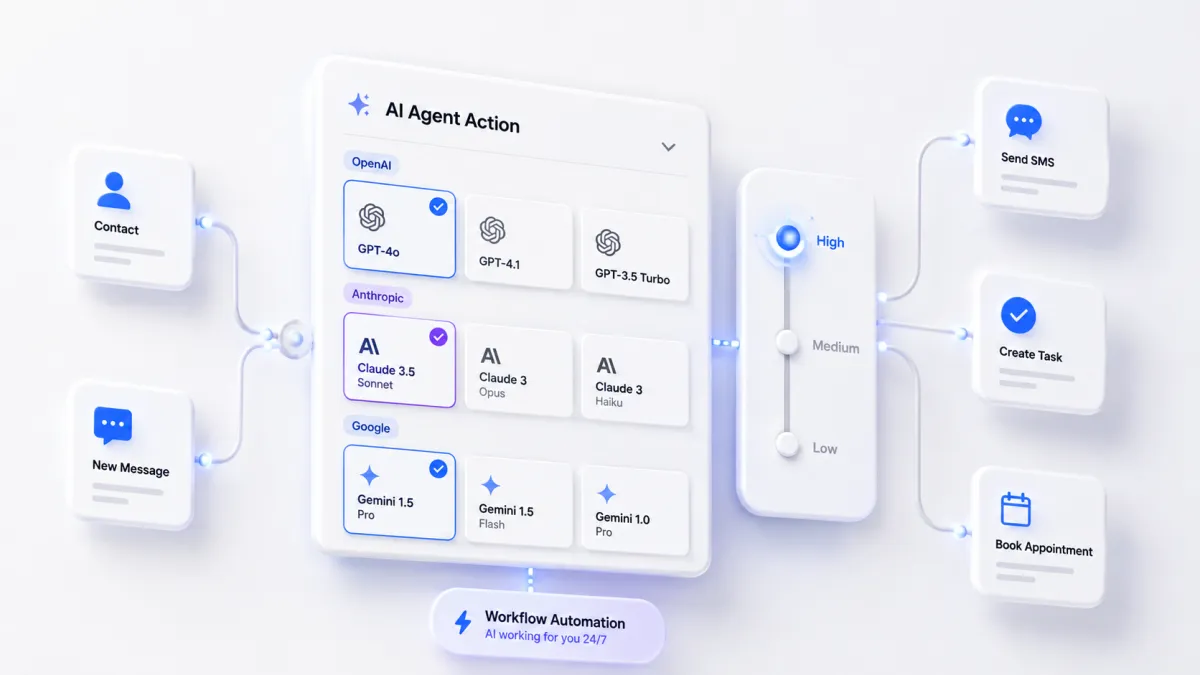
If you have been running the GoHighLevel AI Agent Action inside your workflows, you have been running it on OpenAI and nothing else. As of the 20 August 2026 release, that limitation is gone. Anthropic Claude and Google Gemini models now sit in the same picker, and a new reasoning effort control lets you decide how hard the model thinks before it responds.
This is not a cosmetic update. It changes what your GoHighLevel automations can do and what they cost on every execution. Here is the full breakdown.
Table of Contents
- What Changed in the GoHighLevel AI Agent Action
- Every AI Model Now Available in GoHighLevel
- Reasoning Effort in GoHighLevel: Low, Medium and High Explained
- Inside the Redesigned Model Picker
- Why the Same AI Task Now Costs Up to 50% Less
- How to Choose the Right Model for Each Workflow
- What to Do in Your GoHighLevel Account This Week
- Pro Tips from AutomationHub Experts
- Frequently Asked Questions
What Changed in the GoHighLevel AI Agent Action
The AI Agent Action is the workflow step that autonomously plans and executes multi step tasks inside GoHighLevel. Until this release it was single vendor. Three things landed at once:
- Multi provider model support. Anthropic Claude and Google Gemini models are now selectable alongside OpenAI.
- Reasoning effort controls. Low, Medium or High, set from the same dropdown as the model itself.
- Lower running cost. Combined with earlier token optimisation work, HighLevel states the same task now runs up to 50% cheaper.
If you are new to this workflow step, start with our complete guide to the GoHighLevel Workflow AI Agent Action, then come back here for the model changes.
Every AI Model Now Available in GoHighLevel
| Provider | Models Available | Best Suited For |
|---|---|---|
| Anthropic | Claude Opus 5, Claude Sonnet 5, Claude Haiku 4.5 | Complex reasoning, long context, careful judgement |
| Gemini 3.6 Flash, Gemini 3.1 Pro Preview | High volume speed, multi step planning | |
| OpenAI | GPT-5.6 Luna, GPT-5.6 Tera, GPT-5.6 Sol, GPT-5 Nano | General purpose work, existing prompt compatibility |
Reasoning Effort in GoHighLevel: Low, Medium and High Explained
This is the setting most agencies will feel first. Reasoning effort controls how much internal work the model does before producing an answer, and you set it per action.
Low Effort
Fast and cheap. Use it for simple, well defined operations such as tagging a contact, extracting a field, or classifying a reply.
Medium Effort
The sensible default for most workflow steps. Lead qualification, call summaries, and deciding a next action all sit comfortably here.
High Effort
Deeper reasoning for genuinely complex tasks. Slower and more token hungry, but far better judgement when the agent has to chain tools or weigh conflicting information.
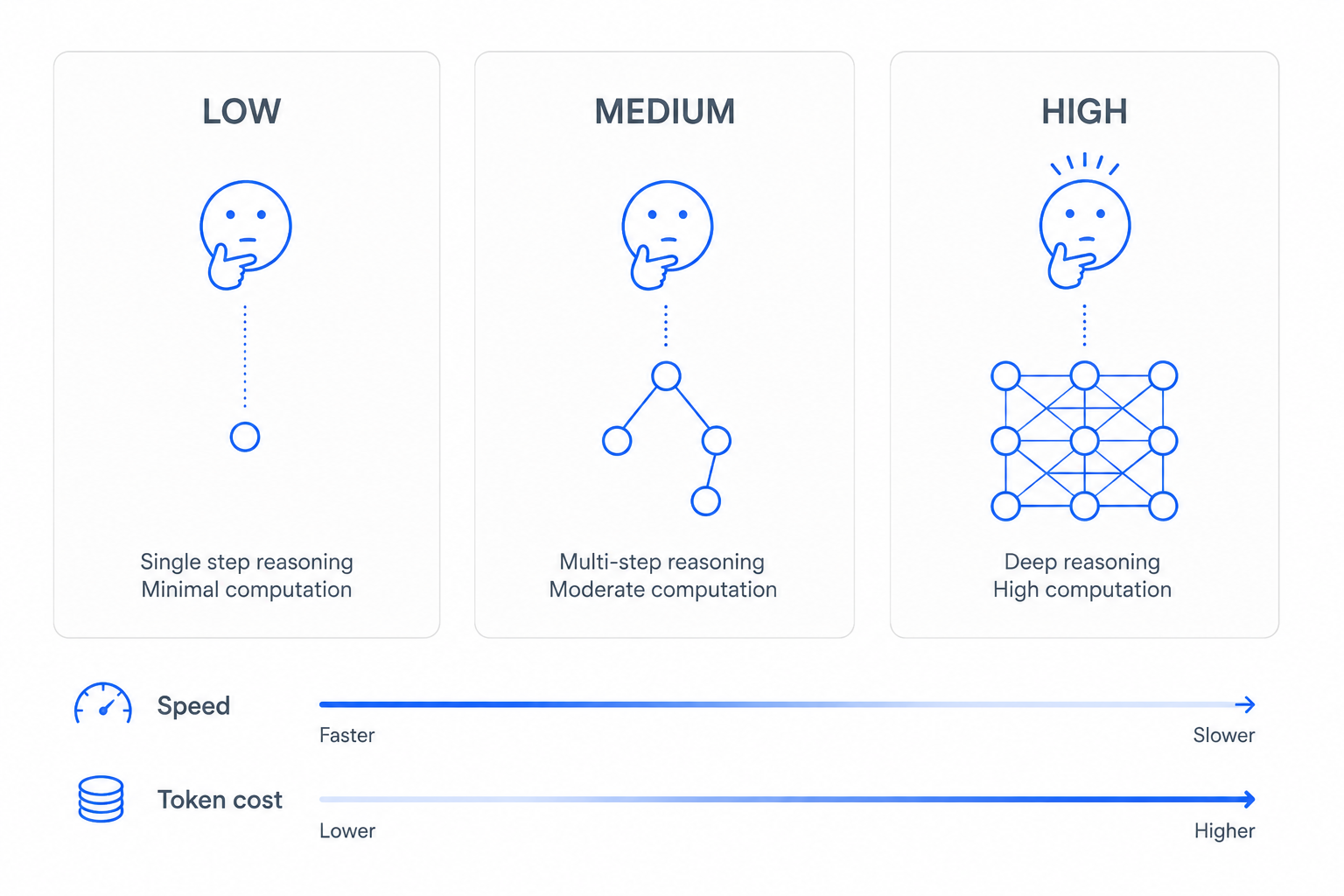
The temptation is to set everything to High and assume better output. That is the expensive mistake. Most actions in a live account are simple, and running them on High burns tokens while adding latency to a workflow a client is waiting on.
Inside the Redesigned Model Picker
The picker now groups models by provider and gives each one a short description, so you are not guessing from the model name alone. Models that support extended reasoning carry a thinking chip, a quick visual cue for which options can use the effort setting you are about to apply. Model and effort level share the same dropdown, so changing either takes seconds.
Why the Same AI Task Now Costs Up to 50% Less
Two things combined here. HighLevel had already shipped token optimisation earlier in the year, and the new lineup adds genuinely cheap fast tier models such as Claude Haiku 4.5, Gemini 3.6 Flash and GPT-5 Nano. Pair a fast model with Low effort on your high frequency steps and the saving becomes real money, because those steps run thousands of times a month.
The saving is not automatic. Leave every action on its existing model and you keep your existing cost.
How to Choose the Right Model for Each Workflow
Nine models and three effort levels gives twenty seven combinations per action. Do not treat that as a research project. Most GoHighLevel accounts settle into three patterns.
High Volume, Low Stakes Steps
Classification, tagging, short message drafting, field extraction. Use Claude Haiku 4.5, Gemini 3.6 Flash or GPT-5 Nano on Low effort.
Everyday Agent Work
Lead qualification, summarising a call, deciding a next action. Claude Sonnet 5 or GPT-5.6 Sol on Medium handles this comfortably.
Complex Multi Step Reasoning
Anything where the agent chains several tools, weighs conflicting information, or makes a call that touches money. Claude Opus 5 or Gemini 3.1 Pro Preview on High earns its cost here. Keep these steps rare and deliberate.
What to Do in Your GoHighLevel Account This Week
- Audit your AI Agent Actions. List every workflow using one and note what the step decides.
- Downgrade the obvious ones. Move simple classification and tagging steps to a fast model on Low effort.
- Upgrade the one that keeps failing. Try your most inconsistent step on Claude Opus 5 at High before rewriting the prompt again.
- Test before you publish. Run each changed workflow against a test contact.
Pro Tips from AutomationHub Experts
- Match effort to consequence, not to complexity. If a wrong answer means a slightly worse SMS, run it Low. If it means a lead lands in the wrong pipeline or a refund gets processed, run it High.
- Change one variable at a time. Swap the model or the effort level, never both, or you will not know which change fixed the output.
- Reword prompts when you switch provider. Instructions that were implicit for one model often need to be explicit for another.
- Log your choices. Keep a sheet of which workflow uses which model and effort level, so you can answer a client billing question in seconds.
- Do not chase benchmarks. The best model for your account is the cheapest one that passes your test cases.
Frequently Asked Questions
Do I need to rebuild my existing AI Agent Actions?
No. Existing actions keep running on their current model. The new options are opt in, so nothing breaks until you choose to change it.
Which GoHighLevel AI model should I use if I am not sure?
Start with a mid tier model on Medium effort, such as Claude Sonnet 5 or GPT-5.6 Sol. Run your test cases, then move down to a faster model if the output holds or up to a stronger one if it does not.
Does reasoning effort work on every model?
No. Only models that support extended reasoning respond to the effort setting, and those are marked with a thinking chip in the picker.
Will switching providers change my output quality?
It can. Providers interpret the same prompt differently, particularly around tone and formatting. Always test before publishing.
Is the 50% cost reduction automatic?
Partly. The token optimisation applies platform wide, but the larger saving comes from moving simple steps onto faster models at Low effort.
Can I use different models in different steps of the same workflow?
Yes. The setting is per action, so one workflow can run a cheap classification step and an expensive reasoning step side by side.
Related Reading from AutomationHub
- GoHighLevel Workflow AI Agent Action: The Complete Guide
- GoHighLevel Voice AI Reaches 2 Million+ Monthly Calls
- GoHighLevel CRM for Agencies: The Complete Setup and Optimization Guide 2026
Source: the official HighLevel changelog, 20 August 2026.
Ready to Get More Out of Your GoHighLevel AI Agents?
Most GoHighLevel accounts are running AI Agent Actions on the wrong model at the wrong effort level, and paying for it on every execution. At AutomationHub, we audit, rebuild and fully optimise GoHighLevel AI workflows for agencies and businesses serious about results. From model selection to complete automation architecture, we handle everything.